
See what your AI agent does to your code — and what it costs.
DevPulse AI sits in the corner of your screen while Claude Code works: it shows every changed file in real time, lets you approve an edit before it is written, and adds up spend per model alongside your plan limits.
Windows 10/11 (64-bit) · Ubuntu, Debian and derivatives · your data never leaves your computer
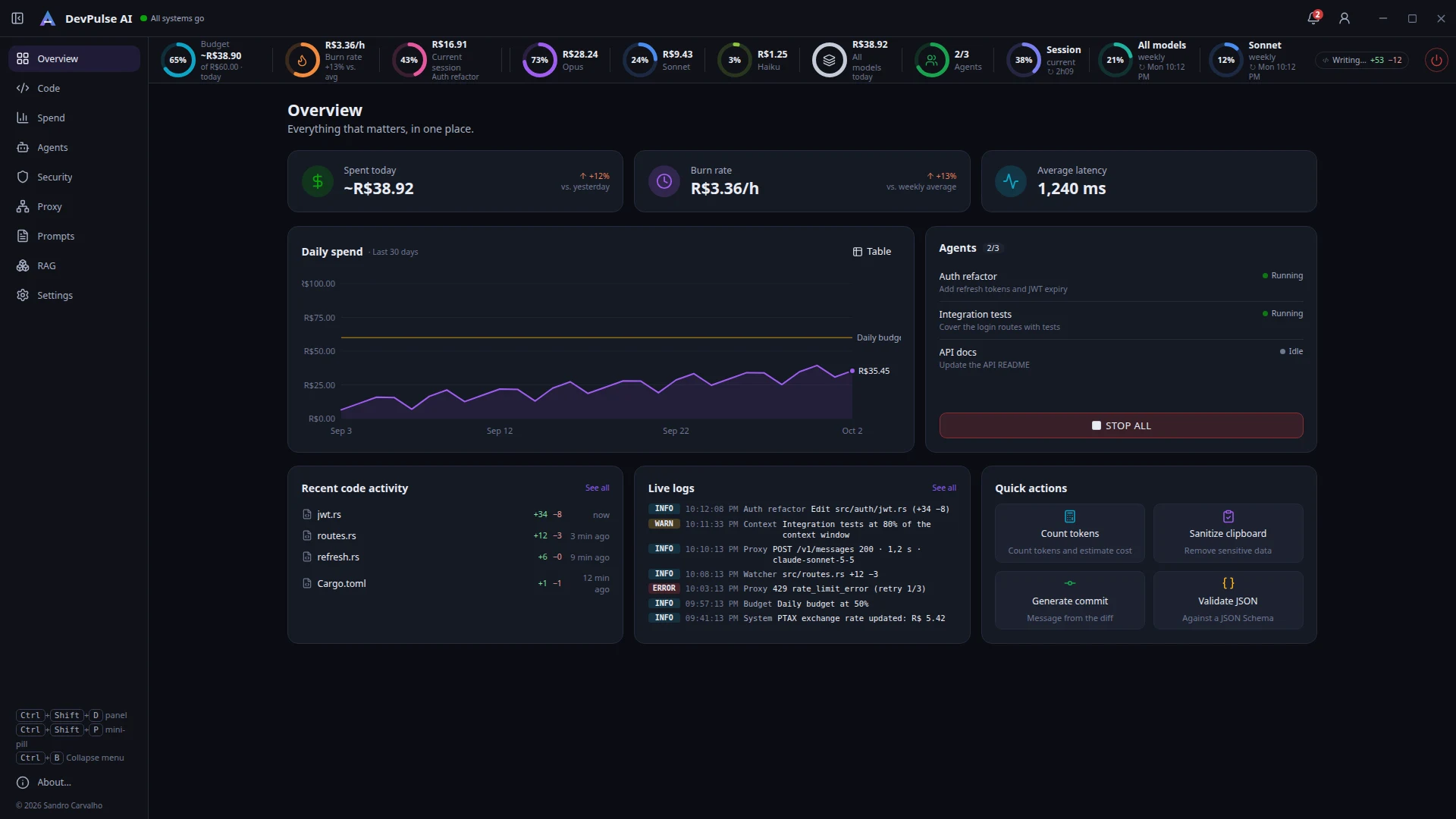

Everything the agent does, in one place
You keep using your terminal and editor. DevPulse reads what the agent already logs and watches the project folder — no plugin, no account, and your code never leaves the machine.
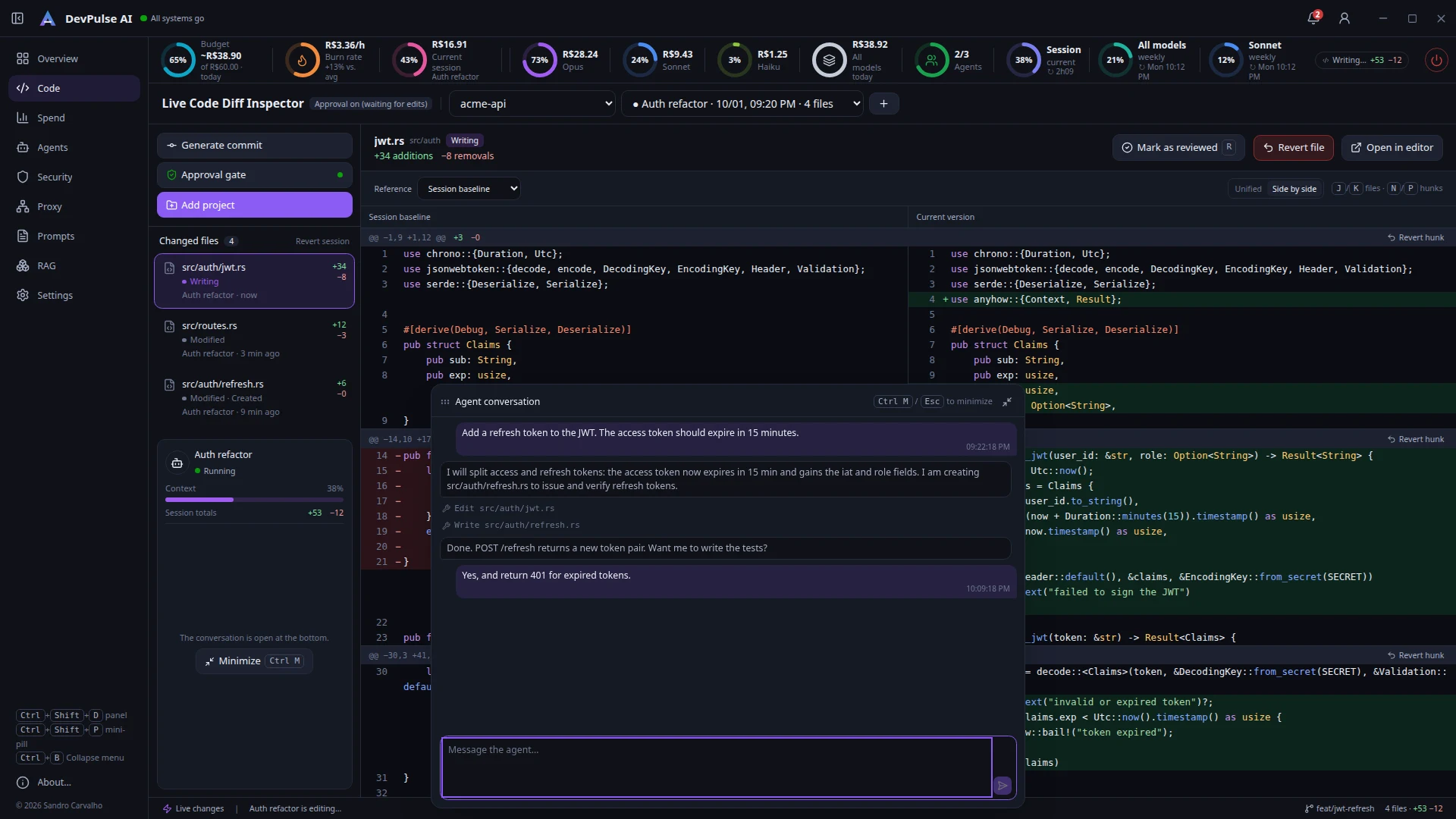
Live diffs
Every edit shows up within seconds, split or unified, with revert for a file, a hunk or the whole session.
Approval gate
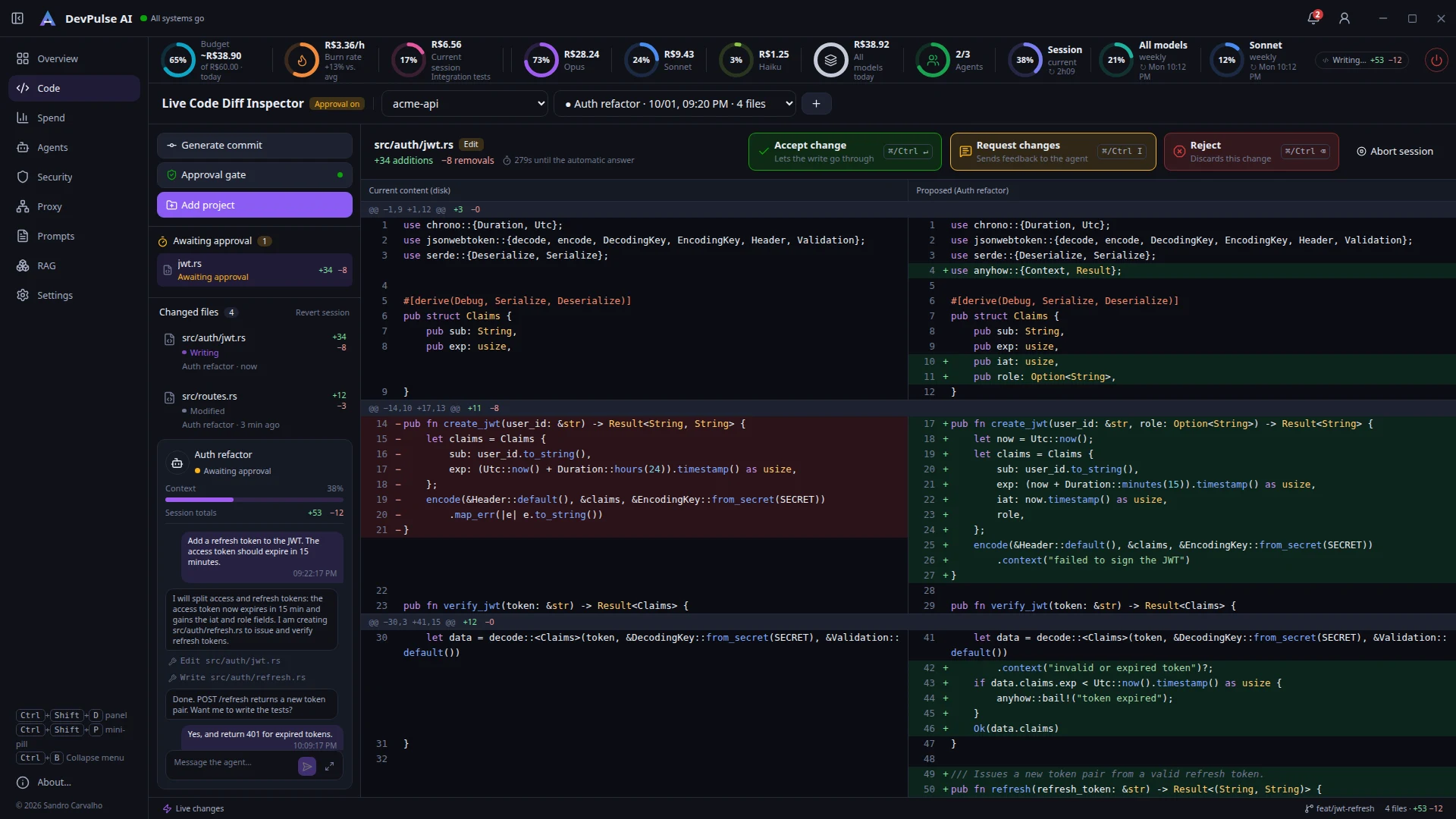
With Claude Code hooks, each edit waits for you to accept, request changes or reject — before it touches disk.
Spend tracking
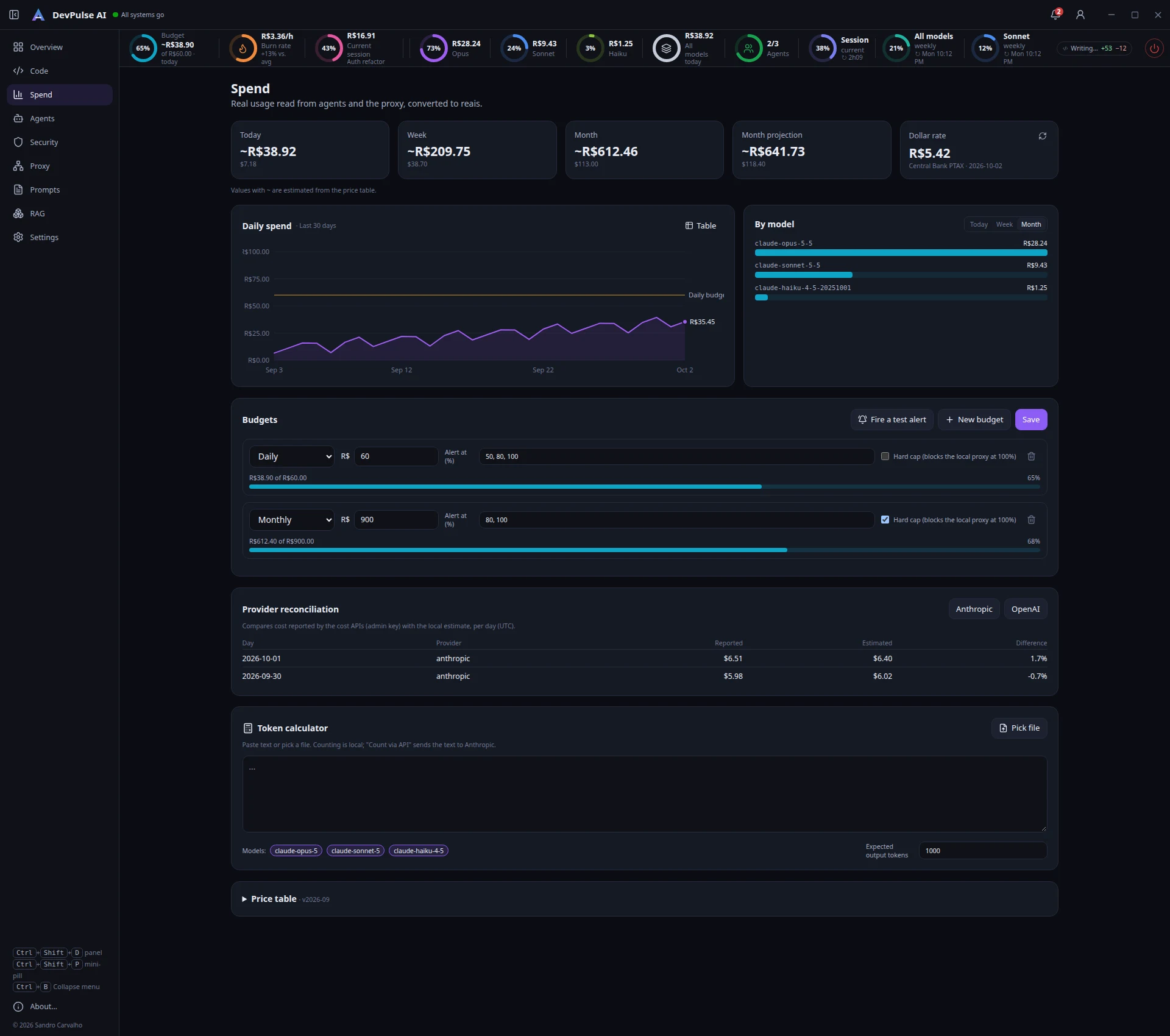
Cost per model, session and day, converted at the official rate, with budgets and alerts.
Plan limits
The 5-hour session and weekly Claude plan limits as rings on the mini-pill, with reset times.
Agent chat
Talk to the Claude Code session right from the Diff Inspector; Ctrl+M opens a large draggable box.
Kill Switch
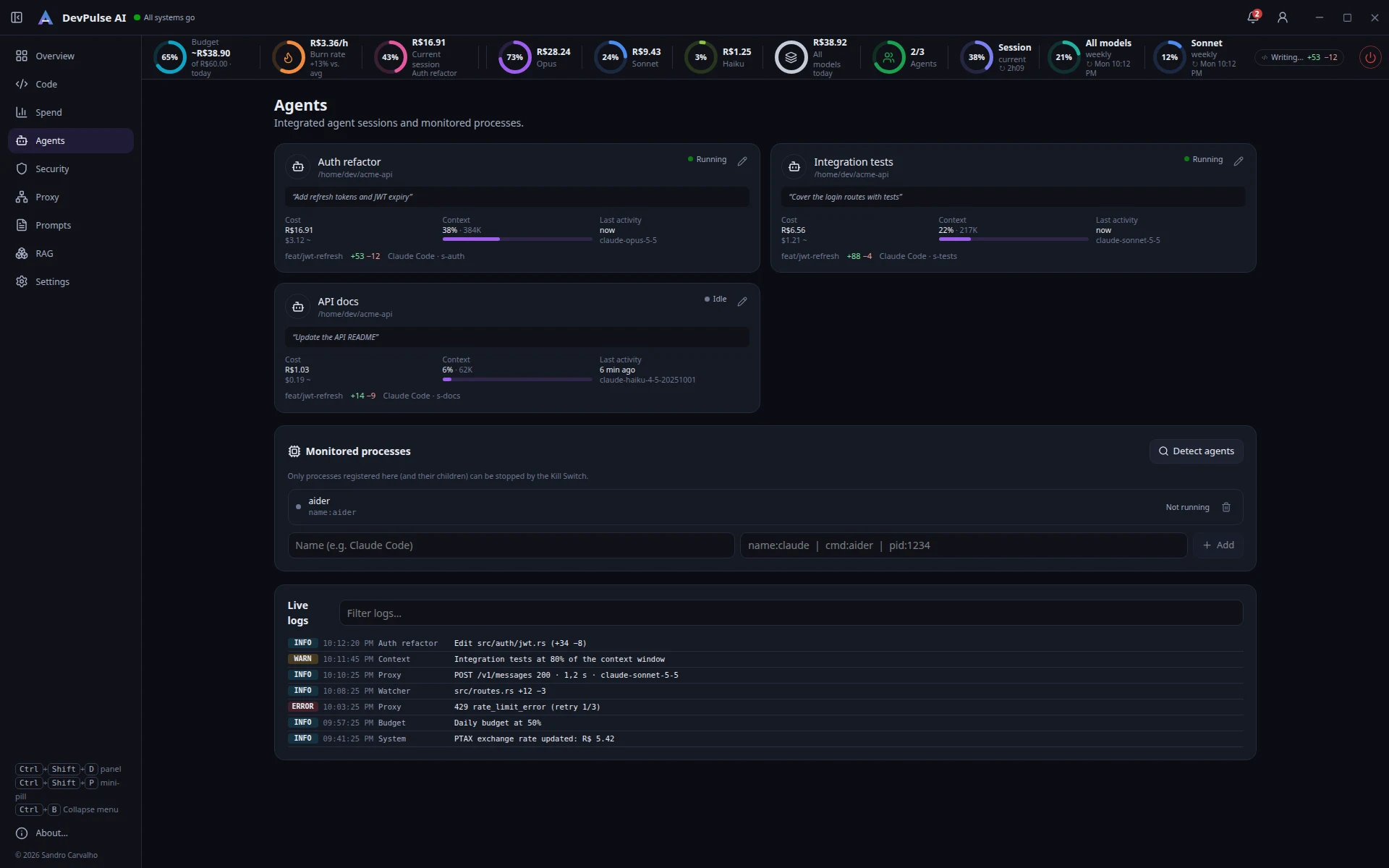
One button to stop registered agents and processes when something goes off the rails.
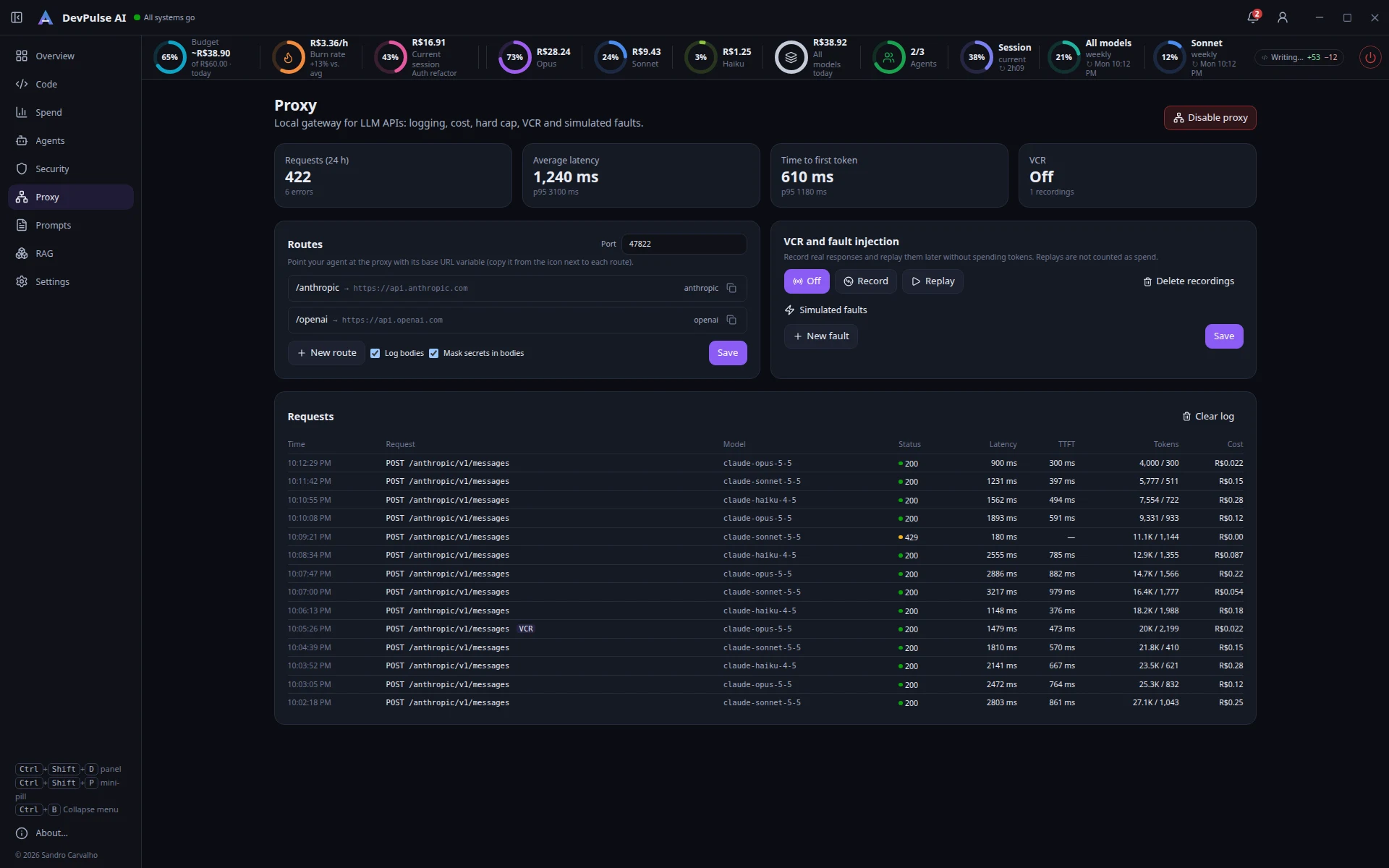
LLM proxy
Local gateway that logs requests, latency and cost, with hard cap, recording (VCR) and simulated faults.
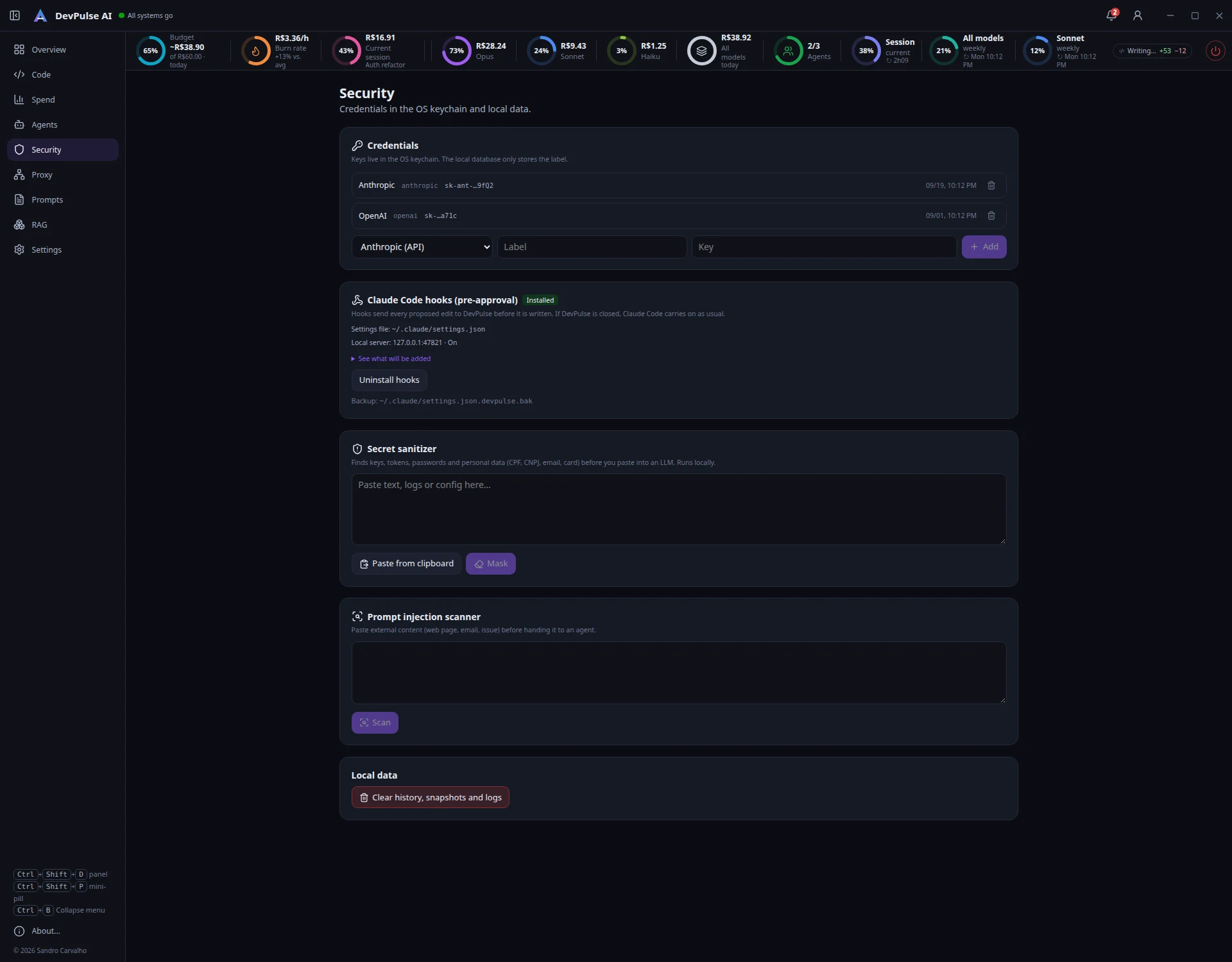
Security
Keys in the OS keychain, a secrets and personal-data sanitizer, and a prompt-injection detector.
Prompt tools
Templates with variables, comparison, redundancy, JSON Schema, few-shot, evals and context utilities.
Three steps and the agent becomes visible
Install and open
Download the installer for Windows or Linux. The mini-pill appears at the top of the screen and the icon sits in the system tray.
Add your project
Pick the repository folder. DevPulse watches the files and reads Claude Code transcripts in ~/.claude.
Work as usual
Use the agent like always. Diffs, spend and limits show up on their own; turn on the approval gate when you want to review first.
Approve the edit before it is written
With the approval gate on, Claude Code pauses at each edit and shows what it wants to change. You decide with one shortcut:
- Ctrl+Enter accepts and writes to the repository
- Ctrl+I requests a change with a comment to the agent
- Ctrl+⌫ rejects the change
- No answer in time? The agent follows its normal flow (configurable)
What each model costs, today
The mini-pill adds up the current session spend, shows each model’s share and the daily total — and, next to it, how much of your Claude plan is used in the 5-hour window and the week.
- Daily, weekly or monthly budget with alerts at 50, 80 and 100%
- Hourly burn rate compared to your average
- Reconciliation with the cost reported by Anthropic
- Token calculator and an editable price table
A few screens
Local by default
Get started in two minutes
Free for individual use. Enter your email on the download page to get the installer and new-version notices.
Download free